
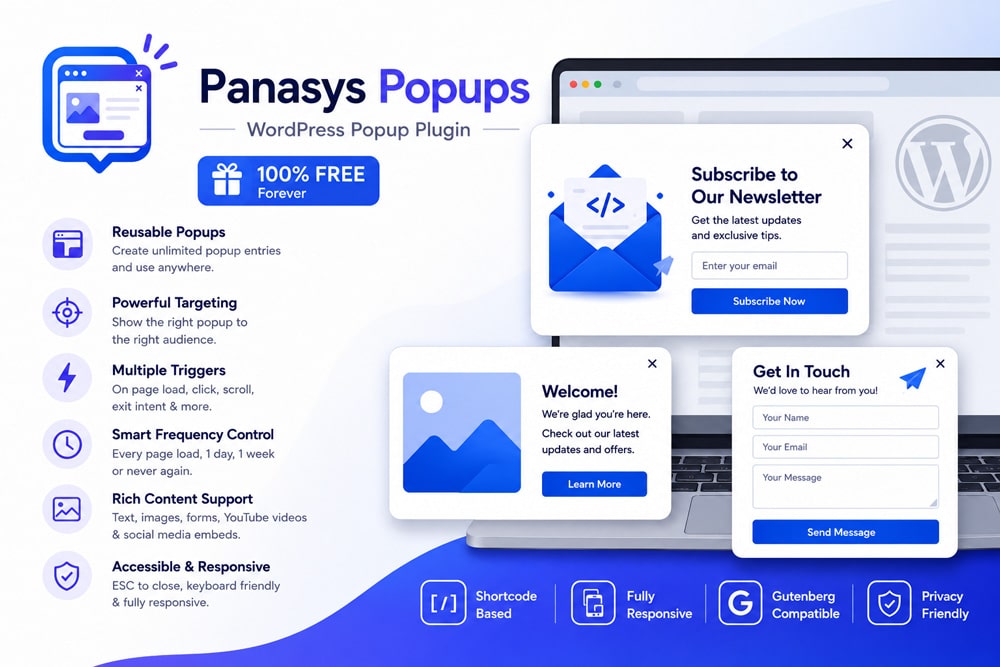
Create Beautiful, Responsive & High-Converting Popups for WordPress
Panasys Popups is a lightweight yet powerful WordPress popup plugin developed by Panasys Technologies. It enables website owners to create reusable popup windows for contact forms, lead generation, announcements, promotional offers, images, videos, newsletters, and rich content—all without writing a single line of code.
Whether you’re displaying Contact Form 7, WPForms, Gravity Forms, YouTube videos, image galleries, or custom Gutenberg blocks, Panasys Popups makes creating engaging visitor experiences simple.
Designed with performance, accessibility, and ease of use in mind, the plugin integrates seamlessly into any WordPress website using simple shortcodes.

Why Choose Panasys Popups?
Unlike many bulky popup plugins, Panasys Popups focuses on:
- Lightweight performance
- Clean WordPress interface
- Easy shortcode integration
- Reusable popup library
- Responsive design
- Rich media support
- Accessibility
- Per-popup customization
- Session frequency controls
It gives complete control over popup appearance while keeping your website fast.
Key Features
Reusable Popup Library
Create unlimited popup entries from the WordPress dashboard and reuse them anywhere on your website.
Simple Shortcodes
Display popups anywhere using simple shortcodes.
[panasys_popup id="123"]Create popup trigger buttons:
[panasys_popup_trigger id="123" label="Open Popup"]Works With Popular Form Plugins
Supports virtually every shortcode-based plugin including:
- Contact Form 7
- WPForms
- Gravity Forms
- Fluent Forms
- Ninja Forms
- Any shortcode-based plugin
Rich Content Support
Display:
- Images
- Videos
- YouTube
- Embedded social posts
- Text
- HTML
- Gutenberg blocks
- Custom shortcodes
Popup Design Controls
Customize each popup with:
- Width
- Background color
- Text color
- Auto-open option
Global Settings
Set default styling from one place.
Configure:
- Default width
- Default colors
- Session frequency
- Donation information
Popup Frequency Control
Choose how often visitors should see your popup.
Available options:
- Every page load
- Once per day
- Once per week
- Never again on the same browser
Responsive Design
Automatically adapts to:
- Desktop
- Tablet
- Mobile
Accessible
Built using accessibility best practices including:
- Keyboard navigation
- ESC key close
- Modal dialog semantics
- Focus management
Lightweight
No unnecessary JavaScript libraries.
Fast loading.
Minimal footprint.
Perfect For
- Newsletter Signup
- Contact Forms
- Product Promotions
- Discount Offers
- Image Galleries
- Announcement Popups
- Lead Generation
- Event Registration
- YouTube Videos
- Marketing Campaigns
- Exit Offers
- Welcome Messages
Installation Guide
Method 1 — Upload Plugin
- Login to WordPress Admin
- Go to Plugins → Add New
- Upload the plugin ZIP
- Activate the plugin
Method 2 — FTP Upload
Upload the plugin folder to:
/wp-content/plugins/panasys-popups/Activate from:
PluginsGetting Started
After activation:
Navigate to
Panasys PopupsCreate your first popup.
Add:
- Title
- Content
- Images
- Forms
- Videos
Save the popup.
Copy its shortcode.
Paste it anywhere.
Done.
Plugin Settings
Navigate to
Panasys Popups → SettingsAvailable settings include:
Default Modal Width
Example:
700pxDefault Background Color
Choose the popup background color.
Default Text Color
Set default text color.
Popup Frequency
Options:
- Every Page Load
- One Day
- One Week
- Never Again
Creating a Popup
Navigate to:
Panasys Popups → Add NewFill in:
- Popup Title
- Popup Content
- Images
- Forms
- Videos
- Buttons
Save.
Copy the generated shortcode.
Popup Settings
Each popup includes its own customization panel.
Configure:
- Width
- Background Color
- Text Color
- Auto Open
These settings override global defaults.
Using Shortcodes
Load Popup
[panasys_popup id="123"]| Parameter | Description |
|---|---|
| id | Popup ID |
Trigger Popup
[panasys_popup_trigger id="123" label="Open Popup"]Parameters:
| Parameter | Description |
|---|---|
| id | Popup ID |
| label | Button text |
| class | Additional CSS class |
Example:
[panasys_popup_trigger id="12" label="Contact Us" class="btn btn-primary"]Rich Content Examples
Inside popup content you can add:
Contact Form 7
[contact-form-7 id="123"]WPForms
[wpforms id="25"]Gravity Forms
[gravityform id="2"]Images
Insert using Gutenberg Media Block.
YouTube
Simply paste:
https://youtube.com/...WordPress automatically embeds it.
Social Media
Paste supported URLs.
WordPress handles embedding.
Responsive Behavior
The popup automatically:
- Centers on screen
- Scales for mobile devices
- Prevents overflow
- Maintains readability
Browser Support
Compatible with:
- Chrome
- Firefox
- Edge
- Safari
- Opera
- Brave
Privacy
Panasys Popups does not collect or transmit visitor information.
The plugin only stores a browser-side localStorage value to remember popup cooldown preferences. No personal data is sent to Panasys Technologies.
Frequently Asked Questions
Can I display Contact Form 7 inside a popup?
Yes.
Does it support WPForms?
Yes.
Can I display images?
Absolutely.
Can I embed YouTube videos?
Yes.
Is Gutenberg supported?
Yes.
Can I customize colors?
Yes.
Both global and per-popup customization are available.
Can I control popup frequency?
Yes.
Choose:
- Every page
- Daily
- Weekly
- Never Again
Does it work on mobile?
Yes.
The plugin is fully responsive.
Does it affect website speed?
No.
Panasys Popups is designed to remain lightweight and optimized for performance.
Changelog
Version 1.4.0
- Added popup session frequency settings
- Added donation information
- Improved accessibility
- Enhanced close button
Version 1.3.0
- Global settings page
- Default popup styling
- Better media support
Version 1.2.0
- Per-popup customization
- Updated metadata
Version 1.1.0
- Popup suppression
- Admin support notice
Version 1.0.0
- Initial release
Support
Author: Shaurya Srivastava
Company: Panasys Technologies
For feature requests, bug reports, or support, please visit the Panasys Technologies website or the plugin repository.
